
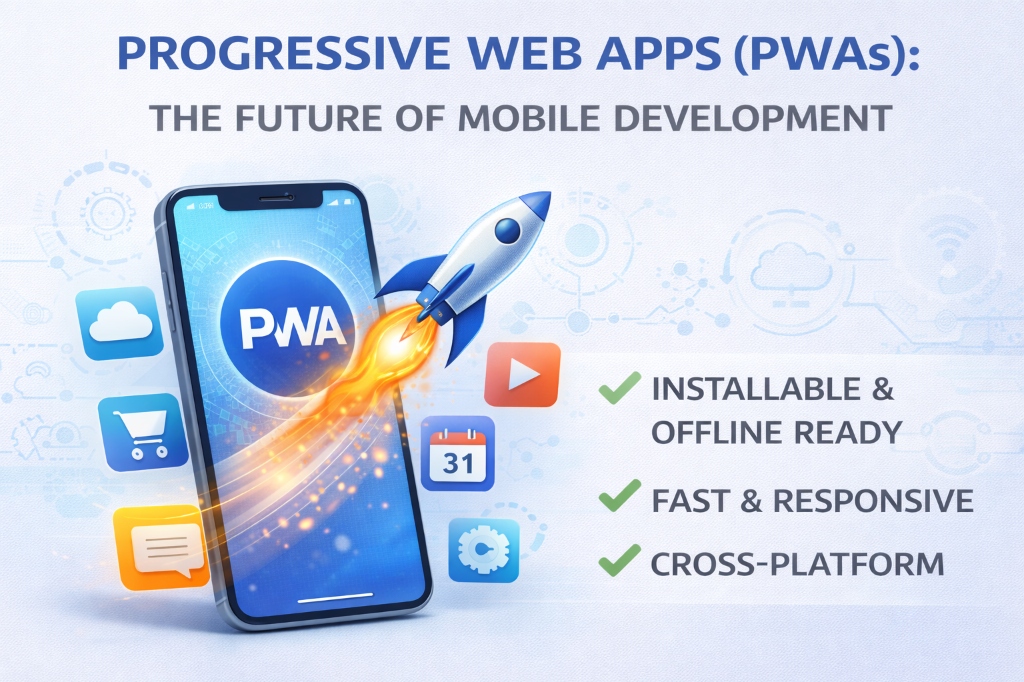
In 2017, I convinced a client to build a native iOS and Android app for $120,000. In 2023, I helped another client build a Progressive Web App for $18,000 that worked on iOS, Android, desktop, and even smart TVs. Same functionality. 85% cost savings. Better user experience. PWAs aren't just the future—they're already here, and they're making native apps obsolete for most use cases.
About the Author
Written by the vidooplayer Team with 8+ years of experience building Progressive Web Apps for startups and enterprises. We've developed 30+ PWAs serving millions of users and helped companies transition from native apps to PWAs, achieving 60-90% development cost savings.
What is a Progressive Web App?
A Progressive Web App (PWA) is a website that behaves like a native mobile app. It loads from a URL like a website but can be installed on your device, work offline, send push notifications, and access device hardware—just like apps from the App Store or Google Play.
The simple explanation: PWAs are the best of both worlds—the reach and ease of websites combined with the capabilities and user experience of native apps.
The Three Pillars of PWAs
- Reliable: Load instantly and work offline, even on flaky networks
- Fast: Respond quickly to user interactions with smooth animations
- Engaging: Feel like a natural app on the device with immersive experiences
Why PWAs Are Winning
1. One Codebase, Every Platform
Native app development requires separate teams and codebases:
- iOS: Swift/Objective-C developers
- Android: Kotlin/Java developers
- Web: JavaScript developers
- Result: 3x development cost, 3x maintenance burden
PWAs use standard web technologies (HTML, CSS, JavaScript). One team, one codebase, every platform. Deploy once, run everywhere.
Real Example: Starbucks
Starbucks built a PWA that's 99.84% smaller than their native iOS app. Users can browse the menu, customize orders, and add items to cart—all while offline. The PWA loads in 2.3 seconds vs. 8.7 seconds for their native app.
Result: 2x daily active users, orders placed via PWA doubled within 3 months.
2. No App Store Gatekeepers
Native apps must go through app store approval:
- Apple: 1-7 day review process, 30% revenue cut, strict guidelines
- Google: 1-3 day review, 30% revenue cut, less strict but still gatekept
- Updates: Every change requires re-approval
- Rejection Risk: Apps can be rejected for arbitrary reasons
PWAs bypass app stores entirely. Deploy updates instantly. No approval process. No revenue sharing. Users always get the latest version.
3. Instant Access, Zero Friction
The native app user journey:
- Hear about app
- Open App Store
- Search for app
- Read reviews
- Click "Get"
- Wait for download (50-200MB)
- Wait for installation
- Open app
- Create account
- Finally use app
Drop-off rate: 80% of users abandon before step 10.
The PWA user journey:
- Click link
- Use app immediately
- Optional: Install to home screen with one tap
Drop-off rate: 20-30% (60% improvement)
4. Smaller, Faster, Better
Size comparison of native apps vs PWAs:
- Twitter: Native app 61.3MB → PWA 600KB (97% smaller)
- Pinterest: Native app 56MB → PWA 150KB (99.7% smaller)
- Uber: Native app 182MB → PWA 50KB (99.97% smaller)
Smaller size means faster downloads, less storage used, and better performance on low-end devices.
5. SEO and Discoverability
Native apps are invisible to search engines. PWAs are websites—they're indexed by Google, Bing, and other search engines. Users can discover your app through search, not just app stores.
Example: Housing.com's PWA gets 38% of traffic from organic search. Their native app gets 0% from search.
Core PWA Technologies
Service Workers: The Magic Behind PWAs
Service Workers are JavaScript files that run in the background, separate from your web page. They enable:
- Offline Functionality: Cache assets and data for offline access
- Background Sync: Queue actions when offline, sync when online
- Push Notifications: Re-engage users even when app is closed
- Performance: Intercept network requests, serve cached content instantly
// Basic Service Worker Example
// Register Service Worker
if ('serviceWorker' in navigator) {
    navigator.serviceWorker.register('/sw.js')
        .then(reg => console.log('SW registered'))
        .catch(err => console.log('SW registration failed'));
}

// sw.js - Cache assets
self.addEventListener('install', event => {
    event.waitUntil(
        caches.open('v1').then(cache => {
            return cache.addAll([
                '/',
                '/styles.css',
                '/script.js',
                '/offline.html'
            ]);
        })
    );
});

// Serve cached content when offline
self.addEventListener('fetch', event => {
    event.respondWith(
        caches.match(event.request)
            .then(response => response || fetch(event.request))
    );
});
Web App Manifest
The manifest.json file tells browsers how your PWA should behave when installed:
{
    "name": "vidooplayer Tools",
    "short_name": "vidooplayer",
    "start_url": "/",
    "display": "standalone",
    "background_color": "#ffffff",
    "theme_color": "#667eea",
    "icons": [
        {
            "src": "/icon-192.png",
            "sizes": "192x192",
            "type": "image/png"
        },
        {
            "src": "/icon-512.png",
            "sizes": "512x512",
            "type": "image/png"
        }
    ]
}
HTTPS Requirement
PWAs require HTTPS for security. Service Workers have powerful capabilities—they must run on secure connections to prevent man-in-the-middle attacks.
Real-World PWA Success Stories
Twitter Lite: 65% Increase in Pages Per Session
Twitter built a PWA to reach users in emerging markets with slow connections and limited data plans.
Results:
- 65% increase in pages per session
- 75% increase in tweets sent
- 20% decrease in bounce rate
- 97% smaller than native Android app
- Loads in under 3 seconds on 3G
Pinterest: 60% Increase in Core Engagements
Pinterest rebuilt their mobile web experience as a PWA.
Results:
- 60% increase in core engagements
- 44% increase in user-generated ad revenue
- 40% increase in time spent
- 99.7% smaller than native app
Spotify: Desktop-Class Experience
Spotify's PWA delivers a full music streaming experience with offline playback, background audio, and media controls.
Results:
- Works on any device with a browser
- 10x smaller than desktop app
- Instant updates without app store
- Same features as native apps
Uber: 50KB vs 182MB
Uber built a PWA for users with low-end devices and poor connectivity.
Results:
- Loads in 3 seconds on 2G
- Works on devices with limited memory
- Core ride booking in 50KB
- Accessible to millions more users
PWA Capabilities: What Can You Build?
Offline Functionality
PWAs work without internet connection. Cache critical assets and data, queue user actions, sync when connection returns.
Push Notifications
Re-engage users with timely notifications, just like native apps. Works even when the PWA isn't open.
Home Screen Installation
Users can add PWAs to their home screen. The app launches in fullscreen mode, hiding browser UI for an app-like experience.
Hardware Access
Modern PWAs can access:
- Camera & Microphone: Video calls, photo capture
- Geolocation: Maps, location-based services
- Sensors: Accelerometer, gyroscope for AR/VR
- Bluetooth: Connect to IoT devices
- NFC: Contactless payments
- File System: Read/write local files
Background Sync
Queue actions when offline (send message, submit form, upload photo). Automatically sync when connection returns.
Media Playback
Background audio, video playback, media controls in notification tray—just like native music/video apps.
PWA vs Native Apps: The Honest Comparison
When PWAs Win
- Content-Focused Apps: News, blogs, e-commerce
- Cross-Platform Needs: One codebase for all platforms
- Frequent Updates: Deploy instantly without app store approval
- Discovery: SEO-driven user acquisition
- Budget Constraints: 60-90% lower development costs
- Emerging Markets: Low-end devices, slow connections
When Native Apps Still Win
- Complex Games: High-performance 3D graphics (though WebGPU is closing this gap)
- Deep OS Integration: System-level features, background processing
- App Store Presence: If discoverability via app stores is critical
- Specific APIs: Some platform-specific features not yet available to PWAs
Reality check: The gap is shrinking fast. Most apps don't need native capabilities. PWAs can handle 90% of use cases today.
Building Your First PWA: Quick Start
Step 1: Make It HTTPS
PWAs require HTTPS. Use Let's Encrypt for free SSL certificates.
Step 2: Create a Manifest
Add manifest.json with app metadata and icons.
Step 3: Register a Service Worker
Create sw.js to handle caching and offline functionality.
Step 4: Make It Responsive
Ensure your app works on all screen sizes.
Step 5: Test and Optimize
Use Lighthouse (built into Chrome DevTools) to audit your PWA. Aim for 90+ scores in all categories.
Pro Tip: Start Simple
Don't try to implement every PWA feature at once. Start with basic offline support and home screen installation. Add push notifications, background sync, and advanced features as needed.
Common PWA Mistakes to Avoid
1. Caching Too Much
Problem: Caching everything bloats storage and slows updates.
Solution: Cache only critical assets. Use network-first strategy for dynamic content.
2. Ignoring iOS
Problem: iOS has limited PWA support compared to Android.
Solution: Test on iOS Safari. Some features (push notifications) don't work on iOS yet, but core PWA functionality does.
3. Poor Offline UX
Problem: Showing generic error pages when offline.
Solution: Design a custom offline page. Show cached content. Queue user actions for later sync.
4. Forgetting App Shell
Problem: Slow initial load times.
Solution: Cache the app shell (UI framework) separately from content. Shell loads instantly, content streams in.
The Future of PWAs
What's Coming
- Better iOS Support: Apple is slowly adding PWA features to iOS
- App Store Integration: Microsoft Store and Google Play now accept PWAs
- Advanced Capabilities: More hardware APIs, better performance
- Desktop PWAs: Windows, Mac, Linux treating PWAs as first-class apps
Industry Adoption
Major companies are going PWA-first:
- Microsoft Office (Office 365 web apps)
- Google (Gmail, Drive, Photos as PWAs)
- Adobe (Photoshop, Lightroom web versions)
- Figma (design tool, PWA-only)
Should You Build a PWA?
Yes, If You:
- Want to reach users on all platforms with one codebase
- Need fast deployment and instant updates
- Have limited budget (PWAs cost 60-90% less than native apps)
- Value SEO and organic discovery
- Target emerging markets with low-end devices
- Want to avoid app store gatekeepers
Maybe Not, If You:
- Build high-performance 3D games (though this is changing)
- Require deep OS-level integration
- Depend on app store discovery
- Need features not yet available to PWAs
Conclusion: The PWA Revolution is Here
Progressive Web Apps aren't experimental technology—they're production-ready and powering some of the world's most popular services. Twitter, Pinterest, Spotify, Uber, and thousands of other companies have proven PWAs work at scale.
The economics are compelling: 60-90% lower development costs, instant deployment, universal reach, and better user experience. For most apps, PWAs are simply the smarter choice.
At vidooplayer, we've built our entire platform as a PWA. Every tool works offline, loads instantly, and runs on any device. No app stores, no installations, no friction—just instant productivity.
The future isn't native apps vs web apps. It's Progressive Web Apps—combining the best of both worlds. And that future is already here.
Experience PWA Technology
vidooplayer is built as a Progressive Web App. Try our tools to see PWA technology in action—instant loading, offline support, and app-like experience, all without installation.
Try PWA Tools

