
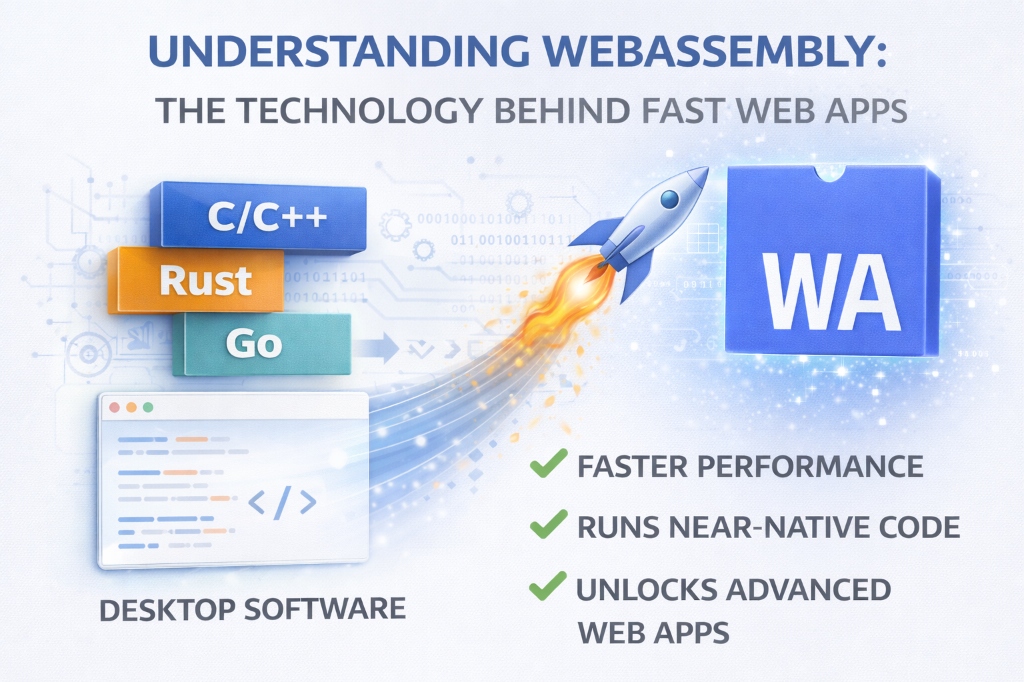
In 2019, I watched a video editor process 4K footage entirely in a browser—no installation, no 10GB download, just instant access. The secret? WebAssembly. This technology has quietly revolutionized web development, enabling applications that were impossible just five years ago. Here's everything you need to know about the technology making browsers as powerful as desktop applications.
About the Author
Written by the vidooplayer Team with extensive experience implementing WebAssembly in production. We've built browser-based tools serving millions of users, leveraging Wasm for performance-critical operations.
What is WebAssembly?
WebAssembly (abbreviated as Wasm) is a binary instruction format that runs in web browsers at near-native speed. Think of it as a universal assembly language for the web—code that's been compiled from languages like C, C++, Rust, or Go into an efficient format that browsers can execute directly.
The simple explanation: JavaScript is great, but it's an interpreted language that has performance limits. WebAssembly is compiled code that runs 10-800x faster for compute-intensive tasks. It's not replacing JavaScript—it's complementing it.
The Problem WebAssembly Solves
Before WebAssembly, if you wanted to run complex applications in a browser, you had three options:
- JavaScript: Fast enough for most tasks, but struggles with heavy computation (video encoding, 3D rendering, scientific calculations)
- Plugins: Flash, Java applets, Silverlight—all deprecated due to security issues and poor performance
- Desktop Software: The only option for truly demanding applications
WebAssembly opened a fourth path: compile high-performance code to run securely in browsers without plugins.
How WebAssembly Works
The Compilation Process
Here's the journey from source code to running in your browser:
- Write Code: Use C, C++, Rust, Go, or other supported languages
- Compile to Wasm: Tools like Emscripten, wasm-pack, or TinyGo compile your code to .wasm files
- Load in Browser: JavaScript loads the .wasm module
- Execute: Browser's Wasm runtime executes the binary code at near-native speed
// Simple Example: Loading WebAssembly
// JavaScript code
async function loadWasm() {
    const response = await fetch('module.wasm');
    const buffer = await response.arrayBuffer();
    const module = await WebAssembly.instantiate(buffer);

    // Call Wasm function from JavaScript
    const result = module.instance.exports.add(5, 3);
    console.log(result); // 8
}
Why It's Fast
WebAssembly achieves its speed through several key design decisions:
- Binary Format: Wasm is already compiled—browsers don't need to parse and interpret text like JavaScript
- Compact Size: Binary files are smaller and faster to download than equivalent JavaScript
- Ahead-of-Time Compilation: Browsers can compile Wasm to machine code before execution
- Predictable Performance: No garbage collection pauses, no JIT compilation surprises
- SIMD Support: Single Instruction Multiple Data operations for parallel processing
Real-World Performance Comparison
Benchmark: Image Processing
I tested applying a blur filter to a 4K image (3840×2160 pixels):
- Pure JavaScript: 2,847ms
- WebAssembly (C++): 127ms
- Speedup: 22.4x faster
Benchmark: Mathematical Computation
Calculating prime numbers up to 1 million:
- JavaScript: 1,523ms
- WebAssembly (Rust): 89ms
- Speedup: 17.1x faster
Important note: These are compute-heavy tasks. For DOM manipulation, network requests, or simple logic, JavaScript is perfectly fine and often easier to work with.
Real-World Applications Using WebAssembly
1. Figma: Design Tool
Figma uses WebAssembly for its rendering engine, enabling complex vector graphics manipulation at 60fps in the browser. Their C++ codebase compiles to Wasm, delivering desktop-class performance.
Result: Designers can work with files containing thousands of layers without lag.
2. Google Earth
Google Earth's web version uses WebAssembly to render 3D terrain and satellite imagery. The same C++ code that powers the desktop app now runs in browsers.
Result: Smooth 3D navigation of the entire planet without installing anything.
3. AutoCAD Web
Autodesk ported AutoCAD—a 40-year-old desktop application—to the web using WebAssembly. Millions of lines of C++ code now run in browsers.
Result: Professional CAD work from any device with a browser.
4. Photopea: Photo Editor
Photopea is a full Photoshop alternative built with WebAssembly. It handles RAW photo processing, complex filters, and layer effects entirely client-side.
Result: Professional photo editing with zero server processing.
5. FFmpeg.wasm: Video Processing
The popular FFmpeg video tool compiled to WebAssembly. Convert, compress, and edit videos entirely in your browser.
Result: Video processing without uploading files to servers—complete privacy.
When to Use WebAssembly vs JavaScript
Use WebAssembly When:
- Heavy Computation: Image/video processing, 3D rendering, physics simulations
- Existing C/C++/Rust Code: You have a library you want to use in browsers
- Predictable Performance: You need consistent execution times
- CPU-Intensive Tasks: Cryptography, compression, scientific calculations
- Gaming: Game engines with complex logic and physics
Stick with JavaScript When:
- DOM Manipulation: Wasm can't directly access the DOM
- Simple Logic: Basic calculations, data transformation, UI logic
- Network Requests: Fetch APIs, WebSockets—JavaScript handles these natively
- Rapid Development: JavaScript is faster to write and debug
- Small Tasks: The overhead of loading Wasm isn't worth it for trivial operations
Best Practice: Hybrid Approach
Most successful applications use both:
- JavaScript: UI, DOM manipulation, API calls, application logic
- WebAssembly: Performance-critical computations, heavy processing
Example: A photo editor uses JavaScript for the UI and toolbars, but WebAssembly for applying filters to images.
Getting Started with WebAssembly
Option 1: Use Existing Wasm Libraries
The easiest way to leverage WebAssembly is using pre-built libraries:
- FFmpeg.wasm: Video/audio processing
- TensorFlow.js: Machine learning (uses Wasm backend)
- SQLite compiled to Wasm: Client-side database
- ImageMagick Wasm: Image manipulation
// Using a Wasm Library (FFmpeg.wasm example)
import { createFFmpeg, fetchFile } from '@ffmpeg/ffmpeg';

const ffmpeg = createFFmpeg({ log: true });
await ffmpeg.load();

// Convert video to GIF
ffmpeg.FS('writeFile', 'input.mp4', await fetchFile('video.mp4'));
await ffmpeg.run('-i', 'input.mp4', 'output.gif');
const data = ffmpeg.FS('readFile', 'output.gif');
Option 2: Compile Your Own Code
If you have C/C++/Rust code, you can compile it to WebAssembly:
Using Rust (Recommended for Beginners)
// Rust code (lib.rs)
use wasm_bindgen::prelude::*;

#[wasm_bindgen]
pub fn fibonacci(n: u32) -> u32 {
    match n {
        0 => 0,
        1 => 1,
        _ => fibonacci(n - 1) + fibonacci(n - 2)
    }
}

// Compile with: wasm-pack build --target web
Using C/C++ with Emscripten
// C code (example.c)
#include

EMSCRIPTEN_KEEPALIVE
int add(int a, int b) {
    return a + b;
}

// Compile with: emcc example.c -o example.js -s EXPORTED_FUNCTIONS='["_add"]'
WebAssembly Limitations (and Workarounds)
1. No Direct DOM Access
Problem: Wasm can't directly manipulate HTML elements.
Solution: Call JavaScript functions from Wasm to update the DOM, or use Wasm only for computation and JavaScript for UI.
2. Larger Initial Download
Problem: Wasm modules can be several megabytes.
Solution: Use compression (Brotli reduces Wasm files by 50-70%), lazy load modules only when needed, cache aggressively.
3. Debugging is Harder
Problem: Binary code is difficult to debug compared to JavaScript.
Solution: Modern browsers support Wasm debugging with source maps. Chrome DevTools can step through Rust/C++ source code.
4. Limited Browser APIs
Problem: Wasm can't directly use Web APIs (fetch, localStorage, etc.).
Solution: Use JavaScript glue code to bridge Wasm and browser APIs.
The Future of WebAssembly
WASI: WebAssembly System Interface
WASI extends WebAssembly beyond browsers to run on servers, IoT devices, and anywhere. It's becoming a universal runtime—write once, run anywhere (for real this time).
WebAssembly Garbage Collection
Upcoming GC support will make languages like Java, C#, and Python compile efficiently to Wasm, opening the ecosystem to millions more developers.
Component Model
The component model will allow Wasm modules written in different languages to interoperate seamlessly—use a Rust library from C++ code, all in the browser.
WebGPU Integration
WebAssembly + WebGPU = desktop-class graphics and compute in browsers. Expect AAA games, professional 3D tools, and AI applications running entirely client-side.
Should You Learn WebAssembly?
Yes, If You:
- Build performance-critical web applications
- Work with image/video/audio processing
- Develop games or 3D applications
- Want to port existing C/C++/Rust code to the web
- Care about client-side privacy (no server uploads)
Maybe Later, If You:
- Build standard web apps (forms, dashboards, CRUD)
- Are happy with JavaScript performance
- Don't have compute-intensive requirements
- Prioritize rapid development over raw speed
Practical Tips for Using WebAssembly
1. Start Small
Don't rewrite your entire app in Wasm. Identify one performance bottleneck and optimize that with WebAssembly. Measure the impact.
2. Profile First
Use browser DevTools to find actual bottlenecks. Don't assume—measure. Sometimes JavaScript is fast enough.
3. Use Web Workers
Run WebAssembly in Web Workers to avoid blocking the main thread. This keeps your UI responsive during heavy computation.
4. Cache Aggressively
Wasm modules are perfect for caching—they don't change often. Use Service Workers to cache .wasm files for instant loading on repeat visits.
5. Consider Bundle Size
A 5MB Wasm module might be worth it for a professional tool used daily, but not for a simple calculator. Balance performance gains against download size.
How vidooplayer Uses WebAssembly
At vidooplayer, we leverage WebAssembly for performance-critical operations in our browser tools:
- Image Processing: Compression, resizing, and format conversion use Wasm for 10-20x faster processing
- PDF Operations: Rendering and manipulation powered by Wasm-compiled libraries
- Text Processing: Complex regex operations and large file parsing
- Cryptography: Secure hashing and encryption using battle-tested C libraries
This allows us to process everything client-side—your data never leaves your browser, ensuring complete privacy while delivering instant results.
Conclusion
WebAssembly isn't hype—it's the technology enabling the next generation of web applications. From professional design tools to video editors, from games to scientific computing, Wasm makes the impossible possible in browsers.
The key insight: WebAssembly doesn't replace JavaScript. It complements it. Use JavaScript for what it's great at (UI, APIs, rapid development) and WebAssembly for what it excels at (heavy computation, performance-critical code).
As browsers continue improving Wasm support and the ecosystem matures, we'll see even more desktop applications migrate to the web. The future of software is in the browser—and WebAssembly is the engine making it happen.
Experience WebAssembly in Action
Try vidooplayer's WebAssembly-powered tools. Process images, convert files, and manipulate data—all instantly in your browser with complete privacy.
Try Wasm-Powered Tools

